
When it comes to car tuning, technology has revolutionized the process in unimaginable ways. One surprising fact is that you can now tune your car using just a laptop. Gone are the days when tuning required cumbersome physical adjustments. The ability to optimize your car’s performance by connecting to a laptop opens up a world of possibilities and precision. So, how exactly do you tune a car with a laptop? Let’s dive into the fascinating world of digital car tuning.
Tuning a car with a laptop involves leveraging advanced software and diagnostic tools to modify the engine’s settings and parameters. This process, known as engine remapping or chip tuning, allows you to enhance performance, increase power, and improve fuel efficiency. With a laptop, you have the ability to alter various aspects of your car’s engine, including ignition timing, fuel delivery, and turbo boost levels. This level of control and customization can result in significant performance gains that cater to your specific driving preferences.
If you want to tune your car with a laptop, follow these steps:
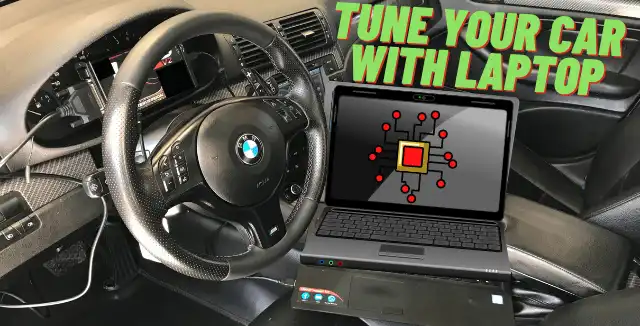
- Connect your laptop to the car’s diagnostic port using an OBD-II cable.
- Install a reputable car tuning software on your laptop.
- Launch the software and establish a connection with your car.
- Read and analyze the data from your car’s ECU.
- Adjust the performance parameters based on your preferences.
- Upload the new tuning settings to your car’s ECU.
- Test your car on the road to ensure optimal performance.
Contents
Using a Laptop to Tune Your Car: The Ultimate Guide
When it comes to optimizing your car’s performance, using a laptop for tuning is a game-changer. With the advancement of technology, automotive enthusiasts can now access powerful software and diagnostic tools to fine-tune their vehicles. Whether you’re a seasoned car enthusiast or a professional mechanic, tuning a car with a laptop can provide you with precise control over various engine parameters, resulting in improved power, fuel efficiency, and overall performance. In this comprehensive guide, we will explore the different aspects of how to tune a car with a laptop and harness the true potential of your vehicle.
Hardware Requirements for Car Tuning with a Laptop
Before diving into the actual process of tuning your car, it’s important to ensure that you have the necessary hardware to connect your laptop to the vehicle’s onboard computer system. Here are the essential components you’ll need:
- Diagnostic OBD-II Cable: This cable allows you to establish a connection between your laptop and the car’s OBD-II port, which is usually located under the dashboard. It enables communication with the car’s onboard computer and retrieves data.
- Laptop or Tablet: You’ll need a laptop or tablet with sufficient processing power and storage capacity to run the tuning software. Ideally, opt for a device that supports the operating system required by the specific software you plan to use.
- Tuning Software: There are several reputable tuning software options available in the market, such as HP Tuners, EFI Live, and Cobb Accessport. Depending on your car’s make and model, choose software that is compatible and offers the features you require.
- Internet Connection: While not always necessary, having an internet connection can be beneficial for downloading software updates or accessing tuning databases for specific vehicle models.
Once you have gathered the necessary hardware, you’re ready to begin the tuning process. It’s important to note that each vehicle and tuning software may have specific requirements, so it’s crucial to consult the user manuals or online resources for detailed instructions.
Understanding the Basics of Car Tuning
Before delving into the technical aspects of tuning your car with a laptop, it’s crucial to understand the basics of car tuning. Here are a few fundamental concepts:
Engine Control Unit (ECU)
The Engine Control Unit (ECU) is the brain of your vehicle, responsible for controlling various engine functions. It collects sensor data, calculates fuel and ignition timings, and adjusts performance parameters accordingly. Connecting your laptop to the ECU allows you to access and modify these parameters, optimizing your car’s performance.
Key Parameters for Tuning
When tuning a car, there are several key parameters that you can modify to enhance performance:
- Fuel Delivery: Adjusting the air and fuel mixture to ensure optimal combustion and power output.
- Ignition Timing: Optimizing the timing of the spark plug to maximize power and efficiency.
- Boost Pressure: Fine-tuning forced induction systems for increased performance.
- Rev Limit: Adjusting the maximum RPM to optimize performance without risking engine damage.
- Throttle Response: Modifying the sensitivity of the throttle for improved acceleration.
Safety Considerations
While tuning your car can lead to significant performance improvements, it’s essential to prioritize safety. Here are some safety considerations:
- Ensure the engine is in good condition before tuning to avoid unexpected issues.
- Make incremental changes and monitor the impact on performance and engine health.
- Pay attention to engine temperature and oil pressure while tuning to prevent overheating or damage.
- Consult professional tuners or seek guidance from experienced enthusiasts for complex tuning procedures.
Step-by-Step Guide to Tune Your Car with a Laptop
Now that you have the necessary hardware and understanding of the basics, let’s dive into the step-by-step process of tuning your car with a laptop:
Step 1: Choose the Right Software
The first step is to choose the appropriate tuning software for your car. Research different options and select software that is compatible with your vehicle’s make and model. Ensure that the software offers the features you require for the tuning process.
Step 2: Connect Your Laptop to the OBD-II Port
Locate the OBD-II port in your vehicle, which is typically located under the dashboard on the driver’s side. Connect the diagnostic OBD-II cable to your laptop and plug the other end into the OBD-II port. Ensure a secure connection before proceeding.
Step 3: Establish Communication with the ECU
Launch the tuning software on your laptop and follow the instructions provided to establish communication with the Engine Control Unit (ECU). This may involve selecting the appropriate vehicle model, establishing a connection, and retrieving data from the ECU.
Step 4: Backup ECU Data
Prior to making any changes, it’s crucial to create a backup of the original ECU data. This ensures that you have a safety net in case any issues arise during the tuning process. The software should have an option to perform a full backup of the ECU data, which you should save in a secure location.
Step 5: Modify Performance Parameters
Now that you have established communication with the ECU and created a backup, you can start modifying the performance parameters to optimize your car’s performance. Refer to the tuning software’s user manual or online resources for guidance on adjusting specific parameters.
Step 6: Test and Monitor
After making changes to the performance parameters, it’s essential to test your car’s performance and monitor its behavior. Take your vehicle for a test drive, paying attention to acceleration, throttle response, and overall drivability. Monitor critical engine parameters using the software and ensure that everything is within safe limits.
Consulting Professional Tuners
Tuning a car with a laptop can be a complex process, especially for those new to automotive tuning. If you’re uncertain or uncomfortable with the tuning process, it’s highly recommended to consult professional tuners or seek guidance from experienced enthusiasts. These experts can provide valuable insights, ensure optimal results, and prevent any potential damage to your vehicle.
Conclusion
Tuning a car with a laptop opens a world of opportunities for automotive enthusiasts. By gaining control over various performance parameters, you can unlock your car’s full potential. However, it’s crucial to approach the tuning process with caution and prioritize safety. With the right hardware, software, and knowledge, you’ll be able to fine-tune your vehicle’s performance and experience an exhilarating driving experience like never before.
Tuning a Car with a Laptop
Tuning a car with a laptop is an efficient and effective way to optimize engine performance. Professionals often use this method to fine-tune the engine and achieve maximum power output. Here is a step-by-step guide on how to tune a car with a laptop:
- First, connect the laptop to the car’s OBD-II port using a compatible cable.
- Open the tuning software on the laptop and establish a connection with the car’s ECU (Engine Control Unit).
- Start by reading the existing ECU data and save it as a backup.
- Analyze the data and identify areas that can be improved, such as fueling, ignition timing, or turbo boost.
- Make the necessary adjustments to the engine parameters using the tuning software.
- After making the adjustments, upload the new tuned file to the car’s ECU.
- Repeat the process of analyzing and adjusting until the desired performance is achieved.
- Test the car on the road and make further adjustments if required.
It is important to note that tuning a car with a laptop requires in-depth knowledge and experience. It is recommended to consult a professional tuner or attend training courses to ensure accurate and safe modifications. Additionally, always follow legal regulations and local emission standards when tuning a car.
Key Takeaways
- Using a laptop to tune your car offers convenience and flexibility.
- First, you need to invest in a car tuning software and a compatible cable.
- Connect your laptop to the car’s OBD-II port using the cable.
- Open the car tuning software on your laptop and establish a connection with the car.
- Follow the instructions provided by the software to make tuning adjustments.
In conclusion, tuning a car with a laptop is a convenient and efficient method for optimizing its performance. By connecting a laptop to the car’s engine control unit (ECU), car enthusiasts and professionals can access and modify various parameters to enhance power, fuel efficiency, and overall driving experience.
Through specialized software, users can adjust settings such as fuel delivery, ignition timing, and turbo boost levels, among others. This allows for fine-tuning the car’s performance to match individual preferences or specific driving conditions. Additionally, using a laptop for car tuning enables real-time monitoring and data logging, providing valuable insights into the vehicle’s performance and potential areas for improvement.